
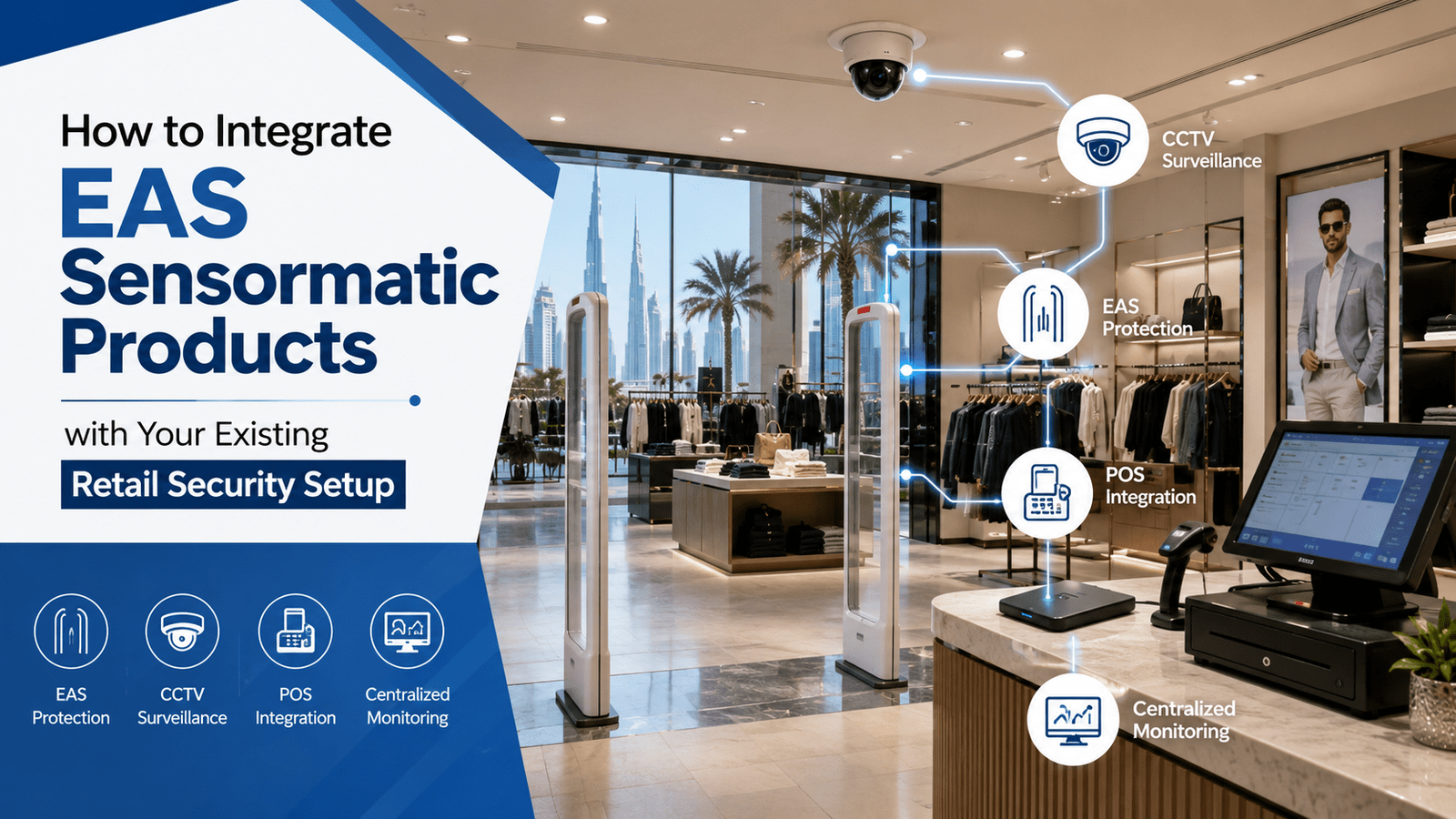
To integrate EAS sensormatic products with your existing retail security setup in Bahrain, start with a site and system audit, then connect EAS alarm events to CCTV, POS, RFID, Electronic shelf labels, asset management, and warehouse management platforms through a phased, tested deployment. The goal is not just theft prevention; it is to create a store environment where security events, stock movement, and pricing data are visible in one operating model.
In practical terms, EAS integration means your Sensormatic AM pedestals, deactivators, labels, cameras, and store software work together instead of running as isolated systems. According to Sensormatic Solutions, modern retail loss prevention increasingly depends on connected systems rather than standalone hardware. For Bahrain retailers in Manama, Seef, and Muharraq, that matters because branch formats, mall landlord rules, and mixed technology estates often make clean integration more important than buying new hardware.
1. Audit Your Current Store Infrastructure Before You Touch the EAS Hardware
Begin with a full inventory of what is already installed at store level: AM pedestals, tag detachers, deactivators, POS lanes, IP cameras, VMS, structured cabling, Wi-Fi, RFID readers, and any digital pricing infrastructure. Many Bahrain stores have added systems in phases over several years, so undocumented cable paths, reused power circuits, and legacy controllers are common. If you skip this step, calibration problems later will be misdiagnosed as product faults.
What is an EAS integration audit? It is a technical review that maps each anti-theft component to power, network, software, and operational workflows. It should also confirm pedestal spacing, entrance width, floor material, nearby metal fixtures, and proximity to gateways used by RFID or Electronic Shelf Labels.
Check these items before planning integration:
- Pedestal model and AM frequency compatibility with current labels and tags.
- Controller generation and whether it supports relay output, IP networking, or remote diagnostics.
- Camera trigger options in your VMS for alarm-based bookmarking.
- POS event logging for correlating deactivation failures with transactions.
- Nearby wireless systems such as ESL gateways, Wi-Fi APs, and handheld terminals.
Practical tip: Ask the integrator to produce an as-built diagram after the audit. The most common mistake is relying on verbal knowledge from store staff instead of documented topology, which slows every future expansion and AMC visit.
2. Define Where EAS Sensormatic Products Fit in Your Security and Operations Stack
Not every Sensormatic component plays the same role, so integration starts by assigning function. Pedestals create the detection field, labels and hard tags secure merchandise, deactivators clear sold items, and controllers pass events to other systems. In Bahrain retail, the best architecture separates detection, evidence, and response so teams can troubleshoot quickly.
This is also the stage to decide whether you are keeping a pure EAS model or moving toward EAS-RFID convergence. If your stores need stronger inventory visibility, dual-use tagging can align front-end loss prevention with back-room stock processes and reduce duplicate tagging workflows. The GS1 organization provides standards guidance that becomes important when product identification data must travel across POS, warehouse, and store systems.
| Component | Primary role | Best integration point | What to verify |
|---|---|---|---|
| AM pedestal | Exit detection | CCTV/VMS, alarm relay, network controller | Lane width, noise floor, calibration |
| Sensormatic labels or tags | Item protection | POS deactivation/removal workflow | Label placement, merchandise type |
| Deactivator/detacher | Clean checkout | POS counter process | Operator training, scan-deactivate sequence |
| RFID-enabled tag strategy | Security plus visibility | Inventory, asset, warehouse systems | Data model, reader coverage |
| ESL infrastructure | Price accuracy and communication | POS/ERP and promotion workflows | Gateway placement near entrances |
For labels and consumables, alignment matters as much as hardware selection. Using the correct Sensormatic labels for the merchandise category avoids poor read performance, damage to packaging, or unnecessary false alarms.
Common mistake to avoid: treating EAS as a door-only project. If store operations, merchandising, and IT are not involved, deactivation workflow gaps at checkout will create alarm fatigue even when the pedestal setup is technically correct.
3. Integrate EAS with POS, CCTV, Access Control, and Alarm Monitoring in Phases
The fastest way to gain value from EAS integration is to connect alarm triggers to video and transactions. When a pedestal alarm can mark a camera bookmark in the VMS and be checked against the POS timeline, security staff can distinguish unpaid exits, cashier process errors, and tag removal issues. This is the foundation of a unified security ecosystem.
How do EAS systems work with an existing retail security setup?
They work by passing an alarm output or network event from the EAS controller into the VMS, alarm panel, or store monitoring software. The receiving system then triggers recording markers, pop-up camera views, incident logs, or notifications. If access-controlled back-of-house areas hold high-value goods, you can also correlate exit alarms with door access events for stronger investigation trails.
For Bahrain stores, integration requirements usually include relay output mapping, controller IP addressing, camera naming conventions, time synchronization, and secure VLAN planning. If clocks are not synchronized, your incident review becomes unreliable because POS, video, and EAS timestamps will not line up. According to the Loss Prevention Research Council, event context is essential for turning alarms into operational action.
Deploy integration in this sequence:
- Phase 1: connect EAS to VMS for alarm-linked recording.
- Phase 2: connect checkout workflows to deactivation controls and cashier SOPs.
- Phase 3: add centralized monitoring for branch health, alarm logs, and diagnostics.
Practical tip: Test with real sold and unsold items at each lane. A common mistake is validating controller communication but not validating the human sequence of scan, deactivation, bagging, and customer exit.
4. Connect EAS with RFID, Asset Management, and Warehouse Management for Full Stock Visibility
Can EAS be integrated with RFID, POS, and CCTV in Bahrain retail stores? Yes, but each layer serves a different operational purpose. EAS tells you an item crossed a protected exit in a suspicious state; RFID tells you which item it is and where it was last read; POS tells you whether it was sold; CCTV shows what happened.
This is why convergence matters for retailers managing both shrinkage and replenishment. If a chain already uses RFID for cycle counts, stock takes, or omnichannel picking, adding a dual strategy can reduce duplicate handling while improving exception analysis. At group level, the data can also feed a fixed asset management system for non-merchandise assets such as handhelds, printers, and display equipment, alongside store inventory workflows.
Warehouse management becomes relevant when source-tagged goods arrive from a DC or supplier ready for store protection. Instead of tagging in-store, merchandise can be received, verified, transferred, and sold through a single governed process. That reduces store labor and improves consistency between receiving records, shelf availability, and security controls.
Integration priorities for this stage include:
- matching SKU, EPC, or item reference structures across platforms;
- defining exception rules for sold-but-alarmed versus unsold-and-alarmed events;
- separating merchandise data from fixed asset data;
- ensuring handheld readers and store Wi-Fi do not disrupt entrance-zone tuning.
Common mistake to avoid: assuming existing pedestals can support RFID functions without a technical upgrade path. Some legacy installations can be modernized, but the controller, reader architecture, and software layer must be checked before budgeting a convergence project.
5. Position Electronic Shelf Labels Correctly and Build an Ongoing Support Model
Will installing Electronic Shelf Labels near Sensormatic EAS pedestals cause interference or false alarms? Usually, not if the design is professional, because ESL networks and AM EAS operate differently; however, poor gateway placement, unmanaged cabling, metallic fixtures, and untested entrance layouts can still create noise or communication issues. That is why coexistence testing matters before chain-wide rollout.
In Bahrain grocery and pharmacy environments, ESLs support pricing accuracy, promo execution, and faster shelf communication, while EAS protects goods at the exit. They do different jobs, but they should be planned together. For example, fresh-food zones, front promotional ends, and queue areas often place ESL gateways, POS counters, and security lanes in close proximity, so RF mapping and entrance testing should be part of the implementation plan.
A good support model is as important as the original installation. Networked EAS controllers, branch dashboards, preventive cleaning, sensitivity checks, and replacement planning reduce emergency callouts and help multi-branch retailers maintain consistent detection performance. In Bahrain, that typically means moving from ad-hoc repair toward scheduled AMC coverage with calibration records and branchwise service history, especially for stores that also rely on EAS anti-theft system support in Bahrain.
Practical tip: Run a coexistence test after any change to store layout, gateway location, or front-end power distribution. A common mistake is blaming EAS for false alarms when the real issue is a recent renovation, a new display fixture, or an untracked electrical change near the entrance.
FAQ
Q: How do EAS Sensormatic products work with an existing retail security setup?
A: They integrate through alarm relays or network events that link exit detection to CCTV, VMS, alarm monitoring, and store operations workflows. The most effective setups also align deactivation at POS, staff response procedures, and incident review so alarms become actionable events instead of noise.
Q: Can EAS systems be integrated with RFID, POS, and CCTV in Bahrain retail stores?
A: Yes. EAS handles theft detection at the exit, POS confirms sale status, CCTV provides evidence, and RFID adds item-level visibility for inventory and investigation. The key requirement is proper data mapping, synchronized timestamps, and controller compatibility with the software layer already used in the store.
Q: What is the difference between EAS, RFID, and Electronic Shelf Labels in retail operations?
A: EAS is focused on exit protection, RFID is used for identification and stock visibility, and Electronic Shelf Labels display synchronized product and pricing information on the shelf. They are complementary systems, not substitutes, and each should be designed around a specific retail workflow.
Q: How can EAS integration support asset management and warehouse management?
A: Integration improves exception handling across receiving, transfer, shelf replenishment, and store exit events. It also helps protect operational devices and high-value assets, while connecting source-tagging and store-level controls to broader inventory, warehouse, and audit processes.
Q: What should Bahrain retailers check before installing or upgrading EAS systems?
A: Check pedestal model, entrance width, power quality, nearby wireless systems, controller generation, label compatibility, and VMS or POS integration options. Also review branch support needs, because long-term calibration, preventive maintenance, and staff training determine whether the system performs consistently.
Q: Who provides local technical support, calibration, and AMC services for Sensormatic and related retail automation products in Bahrain?
A: Retailers should work with a provider that can handle hardware supply, installation, software integration, testing, and ongoing AMC under one service model. Technowave International brings that end-to-end capability across EAS, RFID, ESL, asset tracking, and warehouse automation, with regional implementation and after-sales support.
Summary Checklist for Bahrain Retailers
- Document every current EAS, POS, CCTV, RFID, and ESL component.
- Verify pedestal models, controller capabilities, and lane measurements.
- Map alarm outputs to VMS, monitoring, and incident workflows.
- Test checkout deactivation with live merchandise scenarios.
- Align RFID, asset management, and warehouse data structures.
- Check ESL gateway placement and entrance coexistence after layout changes.
- Set branchwise AMC, calibration, and remote diagnostics procedures.
If you need a Bahrain-ready integration plan rather than another standalone security product, Technowave International can help design, install, calibrate, and support a connected retail environment across EAS, RFID, Electronic Shelf Labels, asset management, and warehouse management.
EAS Sensormatic Products Bahrain Integration Guide
Learn how to integrate EAS Sensormatic products with CCTV, POS, RFID, Electronic shelf labels, asset management, and warehouse management in Bahrain.