





Showing 1–16 of 23 resultsSorted by latest




“`html
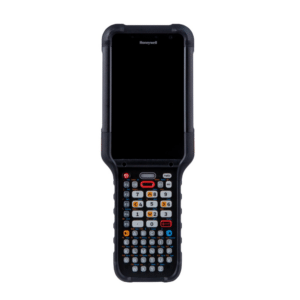
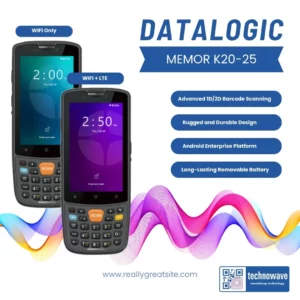
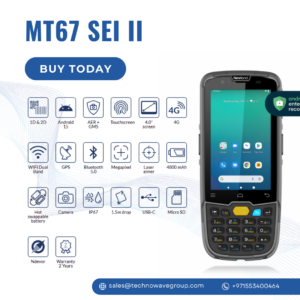
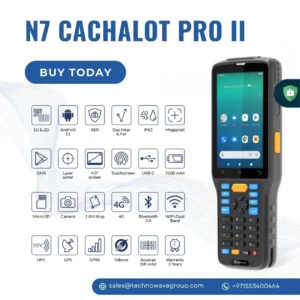
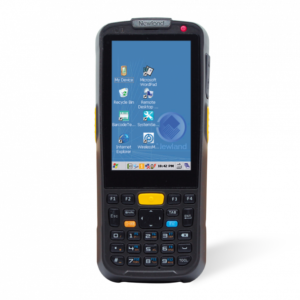
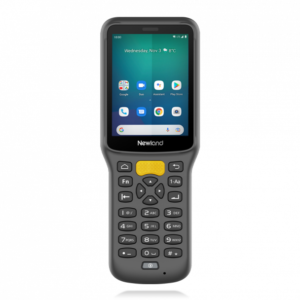
Keypad mobile computers combine professional barcode scanning, physical
data-entry keys, enterprise applications and wireless connectivity in one
rugged handheld device. They are designed for environments where employees
repeatedly enter quantities, location codes, item numbers and commands while
scanning products, cartons, pallets or warehouse locations.
Technowave supplies numeric, alphanumeric, straight-shooter and pistol-grip
mobile computers for warehouses, logistics operations, manufacturing,
retail backrooms and field applications across the UAE, Oman, Bahrain,
Kuwait and the wider GCC.
Physical data entry •
Integrated barcode scanning •
Rugged construction •
Glove-friendly operation •
ERP and WMS connectivity
Full-touch devices are suitable for visual applications, signatures,
photographs and form-based workflows. Physical keypads can be more practical
when employees perform repetitive data entry, work while wearing gloves or
need to operate the device without constantly looking at the screen.
Dedicated keys make it easier to enter quantities, bin numbers,
product codes and workflow commands repeatedly.
Physical keys can be easier to use in warehouses, cold rooms and
industrial facilities where protective gloves are required.
Workers receive physical confirmation with every key press, helping
reduce missed or incorrect entries during busy operations.
Programmable keys can support warehouse applications that use
function commands, shortcuts and rapid navigation.
Keypad layouts vary by model. The correct configuration depends on the type
of information employees enter and how frequently they use application
shortcuts or function commands.
| Keypad Type | Best Suited For | Main Advantage |
|---|---|---|
| Numeric keypad | Quantities, item numbers, location codes and stock counts | Fast numeric entry with fewer unnecessary keys |
| Alphanumeric keypad | Product codes, serial numbers and detailed warehouse entries | Supports letters and numbers using physical keys |
| Function-numeric keypad | Warehouse applications with shortcuts and command keys | Combines numeric entry with programmable functions |
| Touchscreen and keypad | Modern applications that still require physical entry | Supports both touchscreen navigation and tactile controls |
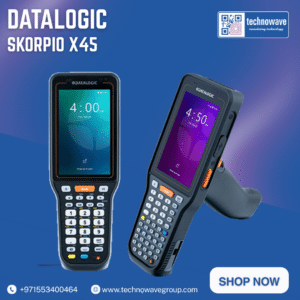
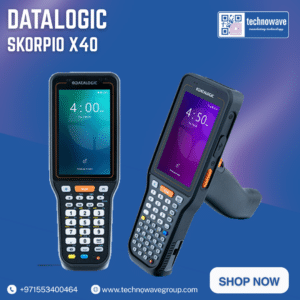
Straight-shooter devices use a traditional handheld form and are suitable
for mixed tasks involving barcode scanning, data entry and application
navigation.
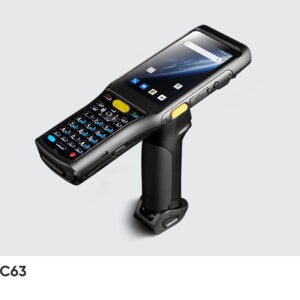
Pistol-grip devices provide a trigger-style grip for workers performing
intensive barcode scanning during receiving, picking, packing and
inventory operations.
| Application | How the Device Is Used |
|---|---|
| Warehouse Receiving | Scan incoming products, enter quantities and verify purchase orders. |
| Order Picking | Confirm storage locations, scan items and enter picked quantities. |
| Inventory Counting | Capture item and location barcodes while entering physical stock. |
| Manufacturing | Track components, batches, production stages and quality results. |
| Logistics and Dispatch | Verify cartons, shipment labels, routes and loading information. |
| Cold Storage | Support inventory and picking in refrigerated or freezer areas. |
| Operational Requirement | Recommended Configuration | Features to Prioritize |
|---|---|---|
| General warehouse inventory | Numeric or function-numeric handheld | Rugged housing, removable battery and standard-range scanner |
| High-volume order picking | Pistol-grip keypad mobile computer | Trigger grip, full-shift battery and comfortable weight balance |
| High-rack and pallet scanning | Extended-range keypad computer | Near-and-far scanning and clear aiming system |
| Detailed serial or product-code entry | Alphanumeric keypad computer | Full physical keypad and programmable function keys |
| Cold-room operations | Cold-storage-rated rugged computer | Condensation protection, glove operation and suitable battery |
| Mixed touchscreen and keypad use | Touchscreen model with physical keys | Modern Android support and configurable keypad controls |
Device selection should be based on the complete operational workflow rather
than only the number of keys, processor specification or purchase price.
Match the keypad layout to the actual application screens. A large
alphanumeric keypad is not always necessary if workers mainly enter
quantities and location numbers.
Review the most frequently used fields, commands and shortcuts before
choosing the keypad configuration. Test the selected device with your
actual labels, software and working conditions before a large deployment.
Full-touch mobile computers may be more suitable for image capture,
signatures, complex forms, maps and applications designed around a
smartphone-style interface.
Technowave supplies keypad mobile computers for warehouse, logistics,
manufacturing, retail and field operations. Available configurations include
numeric and alphanumeric keypads, straight-shooter and pistol-grip designs,
and standard-to-extended-range barcode scanning.
Our team can help assess your application, keypad requirements, barcode
distance, connectivity, battery strategy, accessories and working environment.
We provide product selection, supply, deployment guidance and after-sales
support across the UAE, Oman, Bahrain, Kuwait and other GCC markets.
Contact Technowave for a keypad mobile computer recommendation.
“`
We supply the full ranges of Zebra, Datalogic, Honeywell, Newland, Chainway, Impinj and more. Send us your requirement and we'll recommend the right device and configuration.
Tell us what you need. Our specialists will reply with pricing, availability and the right configuration for your business.
Prefer WhatsApp? Chat with us · Call +971 4 257 4455