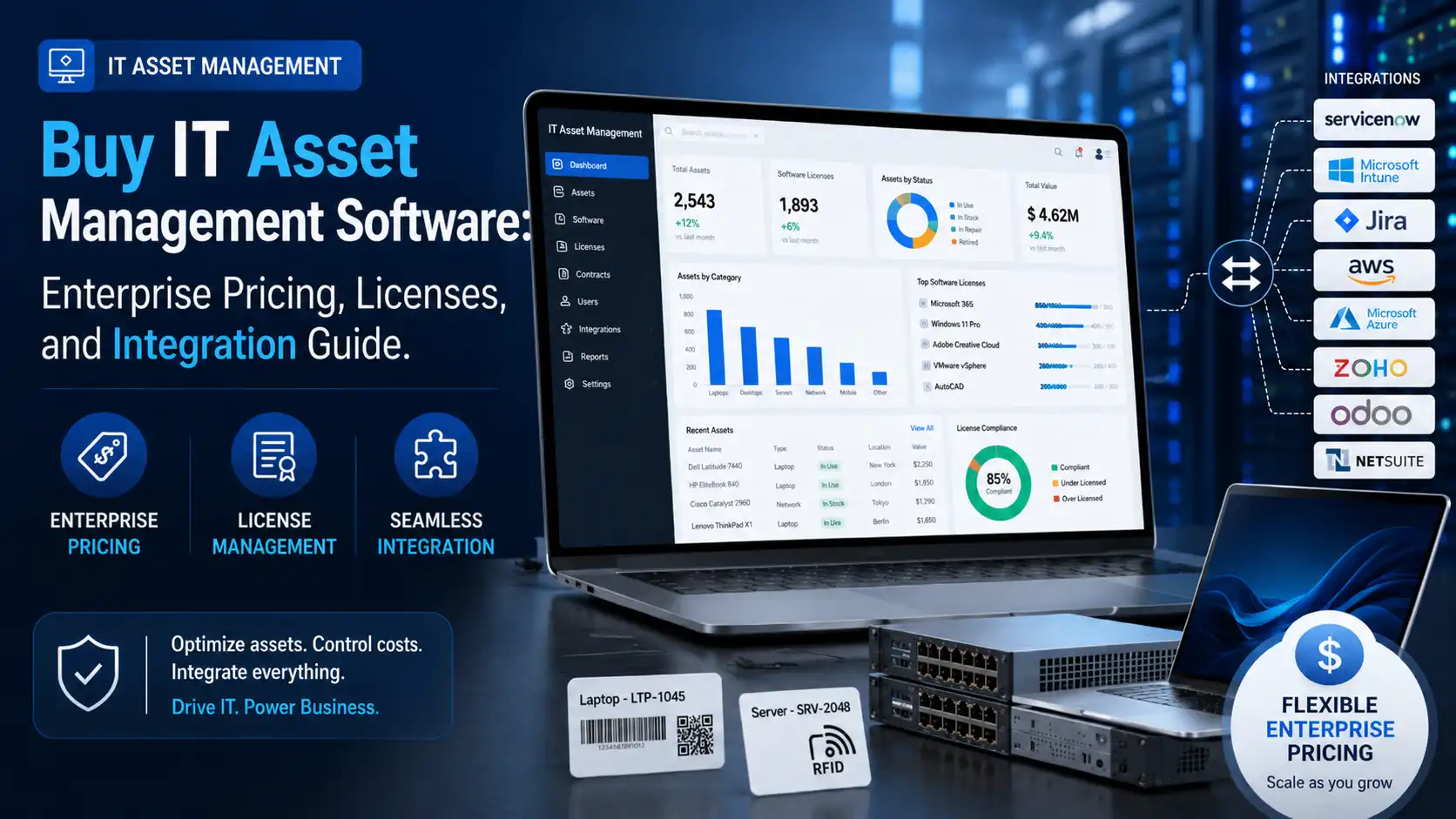
IT asset management software helps enterprises control the lifecycle of laptops, servers, software licenses, mobile devices, and peripherals from one governed system. If you are buying for a multi-site business, the right platform must automate discovery, support audit-ready reporting, integrate with finance and service workflows, and connect digital records with physical asset identification like barcode or RFID.
In practice, buyers should compare five things first: discovery method, licensing model, integration depth, deployment architecture, and the operational effort required to keep data accurate. An asset register that depends on manual updates usually breaks down under staff movement, refresh cycles, remote work, and software compliance pressure.
For many organizations, ITAM now overlaps with broader fixed asset management system requirements, especially when finance, facilities, and IT want one source of truth for tagged assets across branches. If you are benchmarking vendors, this guide complements Top 5 IT Asset Management Software Solutions for 2026: A Comprehensive Comparison by focusing specifically on pricing, licenses, and integration decisions.
What IT Asset Management Software Does and Who Actually Needs It
IT asset management software is an enterprise system used to discover, register, classify, track, and govern IT assets throughout procurement, deployment, maintenance, transfer, retirement, and disposal. According to the Gartner IT Asset Management Market Guide, the category has evolved from static inventory databases into platforms that manage hardware, software, SaaS usage, contracts, and lifecycle decisions.
Who needs it most? Any organization with distributed assets, compliance obligations, or recurring refresh programs. This includes retail groups with hundreds of POS devices, warehouses with handheld terminals, hospitals with mobile carts, universities with shared devices, and corporate IT teams managing laptops, monitors, and printers across multiple offices.
The business problem is usually not visibility alone. It is delay, mismatch, and cost leakage. Procurement buys devices that cannot be found quickly. Service teams support equipment with incomplete warranty data. Finance books assets differently from IT records. Auditors request proof of ownership, location, custodian, or software entitlement, and the data sits in disconnected spreadsheets.
A strong ITAM program closes that gap by combining digital discovery with physical tagging. For firms that also need branch-level audit discipline, asset tags for asset management remain important because discovered device names alone do not solve floor-level verification, user handover, or exception handling during physical counts.
Key Features to Compare Before You Buy Enterprise IT Asset Management Software
Start with discovery. Buyers should ask: Do we need agent-based, agentless, or hybrid discovery? Agent-based discovery installs a lightweight agent on managed endpoints, providing richer telemetry on software usage, patch posture, and user context. Agentless discovery relies on network scans, directory services, APIs, or credentialed access; it is faster to start with, but may provide shallower detail or weaker off-network visibility.
Next, compare lifecycle workflow depth. A credible enterprise platform should handle request, approval, procurement reference, receiving, tagging, assignment, movement, maintenance, lease or warranty tracking, and retirement. If the product only captures serial numbers and locations, it is an inventory tool, not a lifecycle management system.
Third, assess physical asset tracking options. Many businesses need ITAM software to work with RFID asset tracking solutions and field devices such as barcode scanners and mobile computers used for audits, stock takes, and handover verification. Hybrid tracking is especially valuable when assets move between offices, stores, labs, or temporary project sites.
Fourth, inspect reporting and controls. IAITAM guidance from the International Association of Information Technology Asset Managers emphasizes policy-backed governance, entitlement control, and defensible records. The system should support software entitlement reconciliation, exception reports, user or department accountability, and audit trails that show who changed what and when.
| Evaluation area | What strong platforms provide | Common buying risk |
|---|---|---|
| Discovery | Agent-based plus agentless plus API ingestion | Choosing network scan only and missing remote endpoints |
| Lifecycle workflow | Procure-to-retire tracking with approvals | Buying an inventory register without process control |
| Asset verification | Barcode or RFID-based physical audits | Relying only on serial numbers in spreadsheets |
| Software compliance | Entitlement, usage, and reclaim reporting | Ignoring unused licenses and audit exposure |
| Integration | ERP, helpdesk, directory, and procurement sync | Manual re-entry across disconnected systems |
Enterprise Pricing Models: Subscription, Perpetual, and Custom Licensing
Most enterprise IT asset management software pricing follows subscription logic, but the metric varies. Some vendors charge per managed asset, others per endpoint, user node, active IP, technician seat, or selected modules. Two products with similar base pricing can differ sharply once you add cloud connectors, discovery tools, software license management, or mobile audit capability.
How much does IT asset management software cost for an enterprise? It depends on scope, not just company size. A business with 2,000 laptops and basic hardware tracking may pay less than a business with 800 mixed assets requiring software entitlement management, ERP integration, branch-wise physical audits, and dedicated support. Buyers should request a cost sheet that separates platform license, implementation, integrations, training, data migration, and annual support.
Subscription licensing lowers upfront cost and includes updates, but creates an ongoing operating expense. Perpetual licensing still appears in some enterprise deals, often with annual maintenance fees, and may suit organizations with strict hosting or procurement policies. Custom enterprise licensing is common where there are many sites, regional entities, or unusual asset classes such as kiosks, rugged handhelds, fixed scanners, and temporary event devices.
Cost justification should be tied to measurable waste reduction. According to Gartner, organizations implementing active IT asset management processes achieve average first-year cost savings of 30%. Separately, the Flexera State of Tech Spend Report has reported that a substantial share of software licenses goes unused or underused, making license reclamation one of the fastest ROI levers.
How Licensing Works: Users, Assets, Sites, and Modules
Licensing confusion is one of the biggest causes of budget overruns. Buyers should ask not only what is included, but also what causes the license count to expand. A platform may advertise unlimited users but cap discovered devices. Another may include unlimited assets but charge extra for helpdesk technicians, API connectors, or software compliance modules.
What is the difference between subscription and perpetual licensing for IT asset management software? Subscription licenses provide time-bound rights to use the software, usually bundled with support and updates. Perpetual licenses grant ongoing use of a purchased version, but support, upgrades, hosting, and new modules often remain separately payable. For many enterprises, the commercial question is about flexibility when device counts change.
Temporary or seasonal devices need explicit treatment in the contract. Retail and logistics businesses may add handhelds, tablets, or seasonal POS hardware for peak periods. If licensing is based on the annual high-water mark, short-term assets can inflate spend unnecessarily. Ask vendors whether they support monthly averaging, pooled device counts, or separate audit-only licenses for temporary estates.
Also check site logic. Some systems price centrally but restrict branch entities, legal entities, or data partitions. That matters if you operate across multiple countries or business units. In these environments, the case for integrated IT and physical asset governance is stronger; the article on enterprise fixed asset management strategies is useful when your scope extends beyond pure IT into facilities, warehouse, and shared operational equipment.
Integration Requirements: ERP, Helpdesk, Procurement, Barcode, RFID, and Deployment Model
Integration is where many ITAM projects either become useful or become another isolated database. At minimum, review API availability, import methods, authentication support, and sync logic with your ERP, finance system, Active Directory, endpoint tools, and helpdesk. If your team uses ServiceNow, Jira Service Management, Microsoft environments, or a local ERP, ask for a field-by-field integration map rather than a generic statement that the software is “integratable.”
Which integrations should I check before buying IT asset management software? Prioritize five: directory services for user and device identity, procurement or ERP for PO and cost data, helpdesk for incidents and service history, endpoint tools for device discovery, and barcode/RFID tools for physical verification. If any of these stay manual, reconciliation delays return very quickly.
For physical audits, ask whether the platform supports standard barcode formats, mobile audit apps, offline counting, RFID handheld workflows, and bulk import from scan sessions. This is especially relevant for companies already using asset tagging services or planning branch-wide audits. Real projects such as the Fragomen fixed asset management case study and the asset tagging service case study show why asset visibility improves when software and tagging are deployed together, not as separate initiatives.
Cloud versus on-premise should be judged on security policy, integration environment, and support model. Cloud deployment usually accelerates rollout and upgrades. On-premise can still make sense where there are internal hosting rules, isolated networks, or sensitive operational environments. Either way, buyers should budget for onboarding, user training, data cleansing, and post-go-live support, including AMC, repair, and local technical support if scanning hardware and labels are part of the deployment.
How to Evaluate Total Cost of Ownership, Implementation Effort, and Why Acting Now Matters
The smartest buying decision is based on total cost of ownership, not just subscription price. Include implementation services, integration work, data normalization, tagging, handheld devices, labels, workflow design, training, and the internal time needed from IT, finance, procurement, and audit teams. A low-cost tool that needs constant manual cleanup can cost more over three years than a better integrated platform.
Implementation effort should be tested through a practical workshop. Ask vendors to map three live scenarios: new laptop receipt and assignment, employee transfer with device handover, and annual audit with exception handling. This exposes whether the software can handle real-world approvals, branch movement, write-offs, and disputed custody without custom work everywhere.
Why act now? Audit pressure is rising, cloud estates are expanding, and hybrid work has made endpoint ownership less visible. ESG and lifecycle governance are also becoming more relevant, especially for secure disposal, data sanitization, and proof that retired equipment followed a controlled process. Even if software license risk is your immediate trigger, the better long-term outcome comes from joining software entitlement data with physical asset records.
For organizations that want that joined-up approach, Technowave International combines asset management software, tagging, barcode and RFID enablement, integration, and after-sales support across GCC markets. If your evaluation includes branch audits, tagged asset visibility, or mixed hardware-software lifecycle control, engage their team for a scoped assessment before you sign a license that cannot support your operational model.
FAQ
Q: How much does IT asset management software cost for an enterprise?
A: Enterprise pricing usually depends on managed asset count, users, modules, and integration scope. The software license is only one part of the budget; implementation, data migration, tagging, audit devices, training, and support often determine the real project cost more than the base subscription alone.
Q: What is the difference between subscription and perpetual licensing for IT asset management software?
A: Subscription licensing is paid monthly or annually and usually includes updates and support. Perpetual licensing is a one-time right to use a specific version, but maintenance, upgrades, and hosting may cost extra. Subscription is generally more flexible when asset counts and business structure change.
Q: Which integrations should I check before buying IT asset management software?
A: Check ERP or finance integration, Active Directory or identity sync, helpdesk integration, endpoint discovery connectors, and barcode or RFID audit support. Ask for the actual method used: API, database connector, file import, or middleware. Integration quality directly affects reporting accuracy and operational effort.
Q: Can IT asset management software work with barcode and RFID asset tracking?
A: Yes, many enterprise deployments combine software records with barcode labels or RFID tags for physical verification. This is useful for audits, room-to-room transfers, branch counts, and custody checks. The key is support for mobile scanning workflows, offline operation, and clean synchronization back to the core system.
Q: What features matter most when comparing enterprise IT asset management systems?
A: Focus on discovery depth, lifecycle workflow, software entitlement management, audit reporting, integration capability, and support for physical asset verification. A platform that looks feature-rich on paper can still fail if it cannot sync accurately with procurement, service, and finance systems already in use.
Q: What is the difference between agent-based and agentless asset discovery?
A: Agent-based discovery installs software on endpoints and usually provides deeper visibility into usage and configuration, including off-network devices. Agentless discovery relies on network access, credentials, or APIs and can be faster to deploy, but may miss remote or intermittently connected assets.
Related Articles
- Enterprise Fixed Asset Management: Key Strategies, Challenges, and Emerging Trends
- Top 5 IT Asset Management Software Solutions for 2026: A Comprehensive Comparison
- How Poor Asset Visibility Impacts Business Productivity
- Best asset management software in Dubai (UAE)
- Asset Compliance and Regulatory Tracking in Enterprises
- The Ultimate Guide to Choosing the Right Asset Management System for UAE Enterprises
IT Asset Management Software Pricing Guide
Compare IT asset management software pricing, licensing, integrations, and deployment options for enterprise buying decisions.