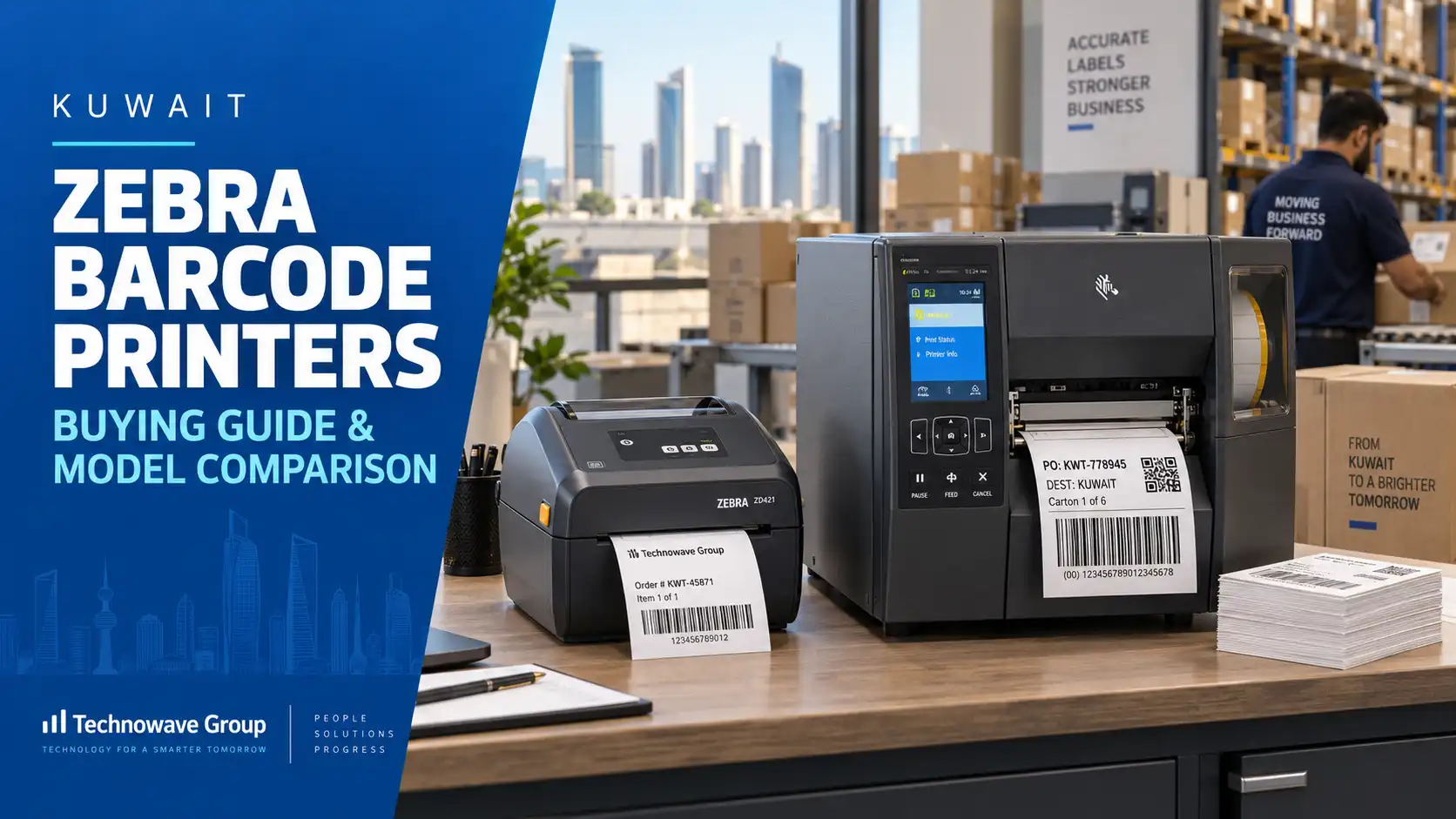
If you are evaluating a zebra barcode printer Kuwait solution, the right choice depends less on brand familiarity and more on print volume, label size, environment, connectivity, and media type. In Kuwait, buyers usually compare Zebra desktop, industrial, mobile, and RFID-capable models based on whether the printer will support retail shelf labeling, warehouse carton labeling, healthcare wristbands, asset tags, or field operations.
A Zebra barcode printer is a thermal printer designed to produce barcodes, labels, tags, receipts, and RFID-encoded media for operational workflows. For Kuwait buyers, the real decision is not simply which model is “best,” but which model fits your site conditions, label stock, software environment, and support expectations over the full life of the deployment.
Why Zebra barcode printers matter in Kuwait operations
Kuwait businesses use barcode printers in environments that are operationally very different from each other. A fashion retailer may print markdown labels, shelf labels, return tags, and backroom stock labels in short runs. A warehouse or 3PL site may need continuous carton, pallet, and location labels across long shifts. A hospital or laboratory may require small-format patient, sample, or medication labels where print clarity matters more than volume.
What problem does the printer actually solve? It standardizes identification at the point where operational errors usually begin: receiving, put-away, shelf replenishment, dispatch, asset tagging, and patient or visitor handling. If labels fade, peel, scan poorly, or print at inconsistent sizes, downstream barcode scanners and mobile computers lose efficiency regardless of how good the ERP or WMS is.
In Kuwait, buyers also need to think about bilingual labeling, imported product relabeling, outdoor logistics exposure, and distributed branch operations. That is why model selection should start with application mapping rather than with headline speed ratings. A 4-inch desktop unit may be ideal for a pharmacy counter but unsuitable for a warehouse staging zone with heavy daily throughput.
For technical background on media and print methods, buyers comparing direct thermal versus thermal transfer can review this guide to thermal transfer label printers and barcode labels. If you are still narrowing the category, the broader barcode printers range and dedicated desktop barcode printers pages help separate branch-office, backroom, and industrial use cases before model-level comparison begins.
Which Zebra model should Kuwait buyers choose?
The most common mistake in zebra barcode printer implementation Kuwait projects is choosing by price tier instead of workload class. Zebra printers broadly fall into four groups: desktop, industrial, mobile, and RFID-enabled. Each solves a different operational problem, and the wrong class increases media waste, downtime, and operator intervention.
Quick model comparison for Kuwait buyers
| Model family | Best-fit use case | Typical media width | Key buying point | Watch-outs |
|---|---|---|---|---|
| ZD421 / ZD621 | Retail back office, pharmacy, front-desk, office labeling | 4 inch class | Compact footprint, easy daily use, good for moderate print volumes | Not ideal for harsh warehouse duty cycles |
| ZD621R RFID | Item-level RFID label printing for retail and assets | 4 inch class RFID media | Suitable where barcode and RFID encoding are both required | Requires correct tag inlay selection and software setup |
| ZT231 | Warehouse, manufacturing, logistics, receiving and shipping | 4 inch industrial | Industrial build for higher throughput and longer shifts | Larger footprint than desktop units |
| ZT231 RFID | RFID carton, asset, and inventory labels | 4 inch industrial RFID | Good for buyers searching specifically for zebra zt231 rfid capability | Needs RFID workflow validation before rollout |
| ZT411 / ZT421 | High-volume industrial and wider-format labeling | 4 inch or 6 inch class | Better when media size, print volume, or integration is more demanding | Higher entry cost and more setup variables |
| ZQ511 / ZQ521 | Mobile route, field service, delivery, trolley, or bedside use | Portable media formats | Prints at the point of work instead of at a fixed station | Battery management and mobile workflow design matter |
Which model is best for retail branches in Kuwait? Usually ZD-series desktop printers, because they balance ease of loading, compact placement, and enough output for shelf labels, markdowns, and replacement barcode labels. Which model fits distribution and manufacturing sites? Usually the ZT-series, especially where labels are printed continuously for receiving, cartonization, palletization, and dispatch.
RFID-capable demand is also rising among buyers searching for zebra zt231 rfid or zebra zd621r rfid printer. These models matter only when the project genuinely needs tag encoding, such as retail RFID item tagging, asset tracking, or mixed barcode-plus-RFID workflows. If your process is purely barcode-based, an RFID printer adds cost and configuration complexity without operational gain.
For heavier-duty warehouse environments, Kuwait buyers should compare the Zebra industrial printers range. Mobile teams that need on-the-spot label or receipt output can also evaluate the Zebra ZQ511 and ZQ521 mobile printers when fixed workstations are slowing field execution.
Technical selection criteria buyers often miss
Before asking for zebra barcode printer pricing Kuwait, define five variables: label width, print method, daily label volume, interface requirements, and environment. These determine not only the model but also the printhead configuration, ribbon choice, accessories, and software driver path. Buyers who skip this stage often end up replacing media, redesigning labels, or adding external adapters after purchase.
What should buyers check before choosing a printer? First, confirm whether the application needs direct thermal or thermal transfer. Direct thermal is simpler for short-life labels such as receipts or temporary shipping labels, while thermal transfer is preferred for longer-life labels exposed to heat, abrasion, or storage. Second, check media size and core compatibility; many issues attributed to the printer are actually caused by mismatched labels or ribbon.
Third, review connectivity in the real deployment location. USB may be enough for a single workstation, but Ethernet, Wi-Fi, Bluetooth, or print server support becomes important when printers are distributed across branches, packing stations, or nurse counters. Fourth, validate your software path: are you printing from ERP, POS, WMS, a browser application, middleware, or a locally designed template?
Finally, inspect the label content itself. Kuwait businesses often need variable barcodes, Arabic and English text, QR codes, batch numbers, expiry dates, serial numbers, or asset identifiers on small labels. High-density printing may be necessary for tiny labels used in healthcare, electronics, or jewelry, while large-format 6-inch output may be the better fit for carton or compliance labeling. Buyers sourcing labels at the same time can compare media options in this Zebra printer labels buying guide.
Implementation, integration, and support planning in Kuwait
A successful zebra barcode printer provider Kuwait project is usually won or lost during implementation planning, not procurement. The printer must align with label design software, user permissions, naming conventions, barcode symbologies, and network setup. If the printer is going into a warehouse, the deployment should also be coordinated with scanners, mobile computers, and stock movement workflows rather than installed as a standalone device.
How long does implementation usually take? A single standalone printer can be prepared quickly if the label format and driver environment are already defined. Multi-site rollouts take longer because they involve template approval, media validation, user access, print queue setup, and staff training. RFID printer deployments need additional testing for encoding reliability, tag placement, and read performance at the actual point of use.
Kuwait buyers should insist on a pilot before buying in volume. Print your real labels, using your actual data source, on your intended media. Check scan performance on handheld devices, resistance to smudging, alignment consistency, and whether operators can reload stock without recurring support calls. This is especially important in education, healthcare, and government environments where label errors can interrupt service delivery.
Need proof that local project execution matters? Buyers can review the real Kuwait College of Science and Technology case study to see how local deployment experience supports institutional technology projects. For post-installation continuity, it is also sensible to review a provider’s technical repair guidance so operations teams understand the difference between basic operator issues and faults that need service escalation.
Pricing, ROI, security, and common buying mistakes
What does zebra barcode printer pricing Kuwait typically depend on? Not just on the printer model. Budget must include media, ribbons where applicable, connectivity options, cutter or peeler accessories, printhead class, installation, label design, operator training, and after-sales support. An apparently lower-cost device can become the expensive option if it causes frequent media jams, poor barcode quality, or early replacement in a high-duty environment.
ROI should be measured against operational pain points: relabeling time, dispatch delays, receiving errors, asset misidentification, manual handwriting, or recurring label outsourcing. For Kuwait branch networks, a standardized Zebra fleet can simplify spare planning, user training, and template control across multiple sites. For buyers integrating labeling into asset programs, the operational logic is similar to what is outlined in this enterprise fixed asset management guide: identification quality directly affects audit quality and data accuracy.
Security and compliance are often overlooked because barcode printers are seen as peripherals, but they still touch production data. If labels include patient identifiers, asset IDs, visitor credentials, or serialized product data, access to templates, networked printers, and print queues should be controlled. In shared environments, it is good practice to define who can edit templates, who can reprint labels, and how obsolete formats are retired to prevent incorrect or duplicate labeling.
The most common buying mistakes in Kuwait are straightforward: choosing desktop models for industrial workloads, ignoring media qualification, underestimating Arabic/English layout constraints, skipping pilot tests, and buying hardware without a local service plan. The right next step is to shortlist the application, compare models against actual duty cycles, and then speak with a provider that can supply hardware, media, integration, and support together. For Kuwait buyers needing that end-to-end approach, Technowave International can help assess the workflow, recommend the correct Zebra model, and support rollout through installation, testing, and ongoing service. To discuss requirements, use the contact page to reach the team by WhatsApp or email.
FAQ
Q: What should buyers check before choosing Zebra barcode printer in Kuwait?
A: Start with application fit: label size, daily volume, print method, environment, and software source. Then confirm connectivity, media compatibility, barcode density, and whether you need standard barcode printing only or barcode plus RFID encoding. A pilot with real labels is the best way to avoid mis-selection.
Q: How can businesses compare Zebra barcode printer providers?
A: Compare providers on technical scoping, media knowledge, installation capability, response time, spare availability, and integration support, not only on device price. A good provider should ask about workflow, label design, ERP or POS connection, and operator usage before recommending a model.
Q: What does Zebra barcode printer typically cost in Kuwait?
A: Cost varies by printer class, print width, RFID capability, connectivity, and accessories. Desktop models usually cost less than industrial or RFID units, but total budget should also include labels, ribbons, setup, training, and support. The cheapest hardware quote is rarely the true lifecycle cost.
Q: How long does Zebra barcode printer implementation usually take?
A: A single-printer setup can be completed quickly when label templates and media are already defined. Branch rollouts, warehouse projects, and RFID deployments take longer because they require application testing, network setup, template approvals, and user training. Timeline depends more on process readiness than on hardware delivery alone.
Q: What security or compliance factors matter for Zebra barcode printer projects?
A: If labels include sensitive identifiers, control access to print templates, reprint rights, and networked devices. Change management matters too: outdated templates should be retired, and printers should be mapped correctly to locations so the wrong labels are not produced in regulated or customer-facing workflows.
Q: Is an RFID Zebra printer necessary for every Kuwait business?
A: No. RFID models such as ZD621R or ZT231 RFID are appropriate only when the process requires encoded tags for asset tracking, retail inventory visibility, or automated identification. If your workflow uses standard barcode labels only, a non-RFID Zebra printer is usually simpler and more cost-effective.
Related Articles
- Industrial Barcode Printers
- Zebra Zq511 Zq521 Rfid Mobile Printers
- Zebra Barcode Printer
- Zebra Desktop Barcode Printer
- How to Troubleshoot and Perform Basic Zebra Printer Repair: A Step-by-Step Technical Guide
- How to Implement RFID Asset Tracking in Kuwait: A Step-by-Step Guide
Zebra Barcode Printer Kuwait Buying Guide
Compare Zebra barcode printer Kuwait models, pricing factors, use cases, and buying criteria for retail, warehouse, healthcare, and industry.